
Free vs Premium
What the Free and Premium plans include, how to upgrade, and where to manage your subscription.
 Written by taika · Creator of Token Radar
 What Each Plan Includes
Free gives you the core of Token Radar:
- The token screener, sector and blockchain indices, AI news summaries, and social listening with sentiment
- The 30D time range
- One favorites list for tokens and one for authors
Premium includes everything in Free, plus:
- All time ranges: 1D, TODAY, 7D, WTD, MTD, 90D, QTD, 12M and YTD
- No ads
- Up to 10 token lists and 10 author lists, see Favorites Lists
Prices, monthly and yearly billing, and answers about refunds are on the pricing page.
How to Upgrade
There are three ways to start the upgrade:
- Open Pricing in the header, choose monthly or yearly billing, and select the Premium plan.
- Open the account menu at the top right and click Upgrade... next to your plan.
- Pick a Premium time range: the Premium Subscription Required dialog shows both plans and lets you upgrade from there.
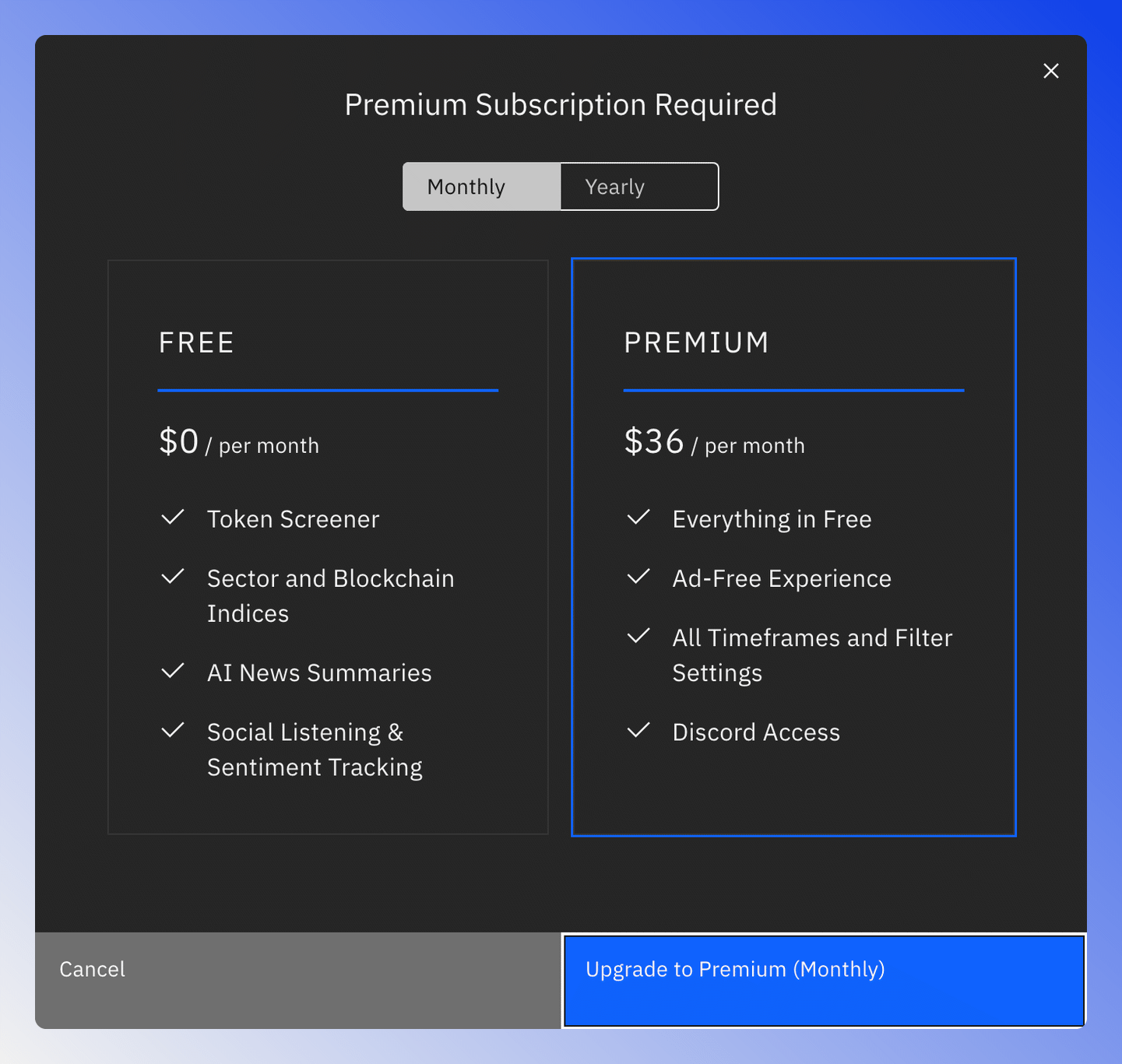
Payment runs through Whop. If your plan still shows Free after paying, sign out and sign in again (see the FAQ).
Manage Your Subscription
Your plan and subscriptions are under Account › Billing, where you can also cancel. See Account Billing.