
Favorites Lists
Save tokens in your own lists, then limit the dashboard, the screener and the social feed to one list with the list menu in the header.
 Written by taika · Creator of Token Radar
 Favorites lists need a Token Radar account. When you are signed in, you start with a list called Favorites for tokens and one called Favorite authors for X accounts.
Save a Token
Tokens have a small flag: in the screener table and in front of the name on the token page.
- Click the flag to save the token. It goes into the list you used last, and a menu opens where you can choose which of your lists hold it.
- Click a colored flag to remove the token from its list. A token in several lists opens the menu instead, so you choose which lists keep it.
- Right-click the flag to open the menu without changing anything.
The flag takes the color of the list that holds the token, with stripes when several lists do. Authors work the same way, with a bookmark next to their name on posts.
Create and Manage Lists
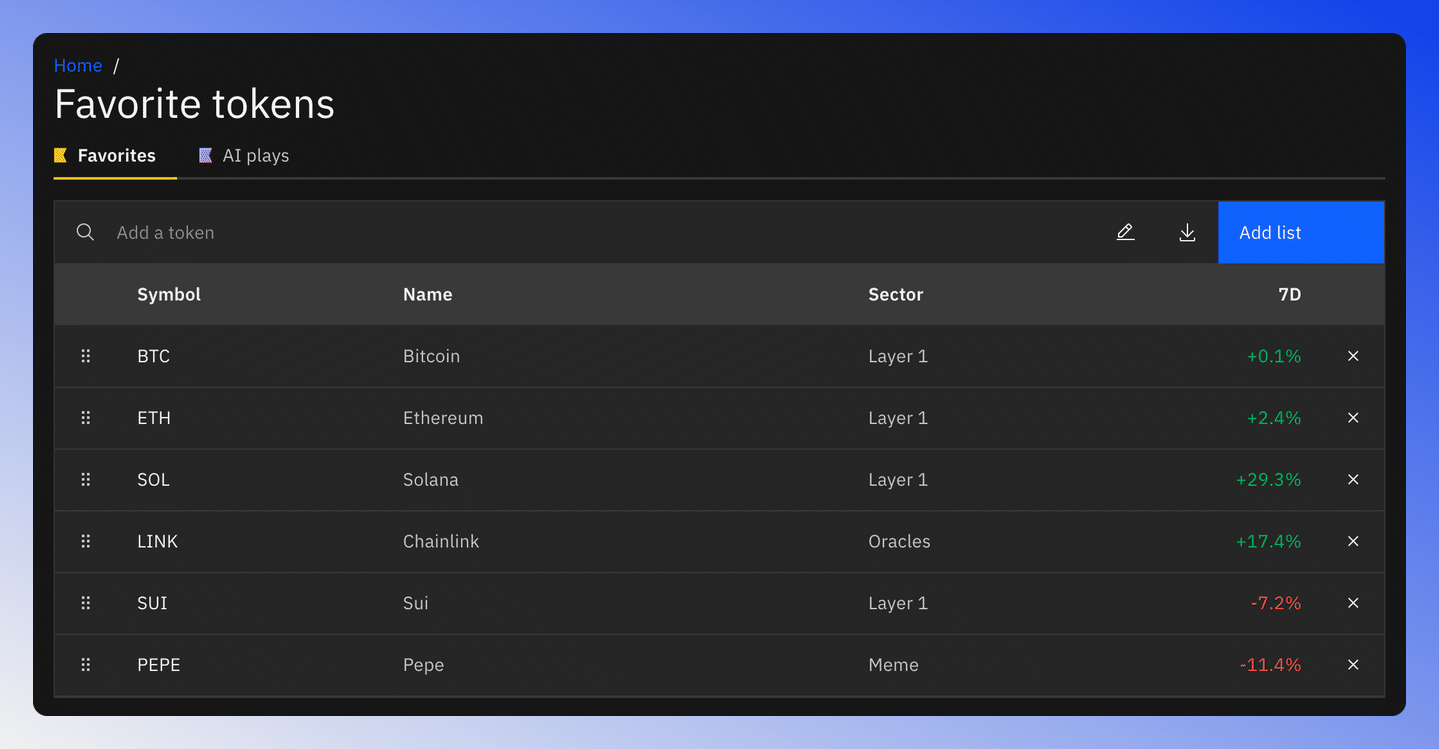
Open Settings from the account menu at the top right, or Manage lists from the list menu. The Favorite tokens and Favorite authors tabs list your lists on the left, next to a table of the selected list's tokens or authors.
- Add list creates a list. Choose Tokens or Authors, a name, an optional description and a color, and whether it is your default list.
- Add a token searches for a token and adds it to the open list.
- The pencil edits the list: rename, recolor, make it the default or delete it. The default list cannot be deleted.
- The download icon exports the list as a CSV file.
- Drag the handle at the start of a row to reorder the tokens, and use the cross at the end to remove one.
Author lists live under Authors in the same switch and work the same way.
Show Only One List
The list menu in the header shows No favorites until you pick a list. Pick one of your token lists and these pages show only its tokens:
- The Screener tables, preview charts and spaghetti chart
- Token mindshare and the social feed
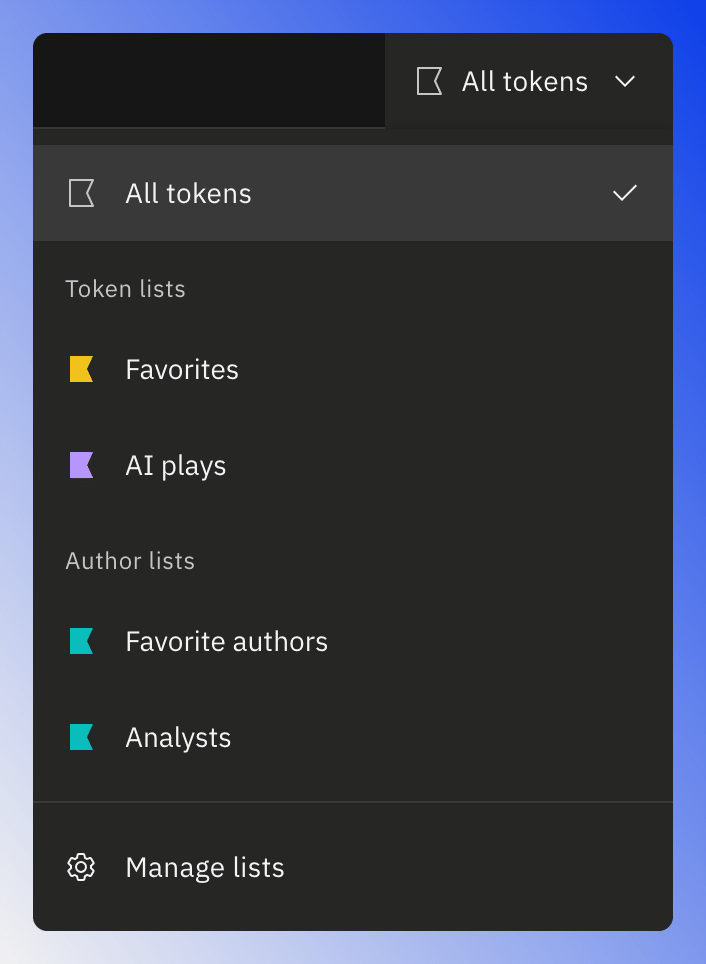
A banner above the page names the list and has a Clear scope action. The icons on a list's row scope to that list and open the screener, the spaghetti chart, the preview charts or token mindshare directly. An author list shows only posts by its authors on the social feed.
The list combines with the TOP-100, TOP-300, ADMA-10 and ADMA-50 filters, and the header's reset icon clears the filters but keeps the list. To see every token again, pick No favorites.
The Favorites Dashboard
The Dashboard has a Favorite Tokens and a Favorite Authors tab. Each shows the list you picked in the header, or your default list of that kind. A token list gets a performance chart, news, posts about its tokens, the top gainers and a featured post. An author list gets the tokens its authors mention, their posts and a table of its authors. Picking a list in the header while you are on the Dashboard opens its tab.
Lists and Plans
- Free: the Favorites list and the Favorite authors list.
- Premium: up to 10 token lists and 10 author lists.
A list holds up to 100 tokens or authors. If you move from Premium back to Free, you keep your lists. You can still remove items, rename, recolor and delete them, but you can add only to your default lists. See Free vs Premium.