
Performance Screener
The table token screener is one of the most versatile and useful tools on Token Radar. It allows you to filter and sort through all the tokens on the platform.
 Written by taika · Creator of Token Radar
 The Performance tab shows the table with price changes, market cap and volume; the VWMA Distance tab shows the same tokens with their distance to the volume-weighted moving averages.
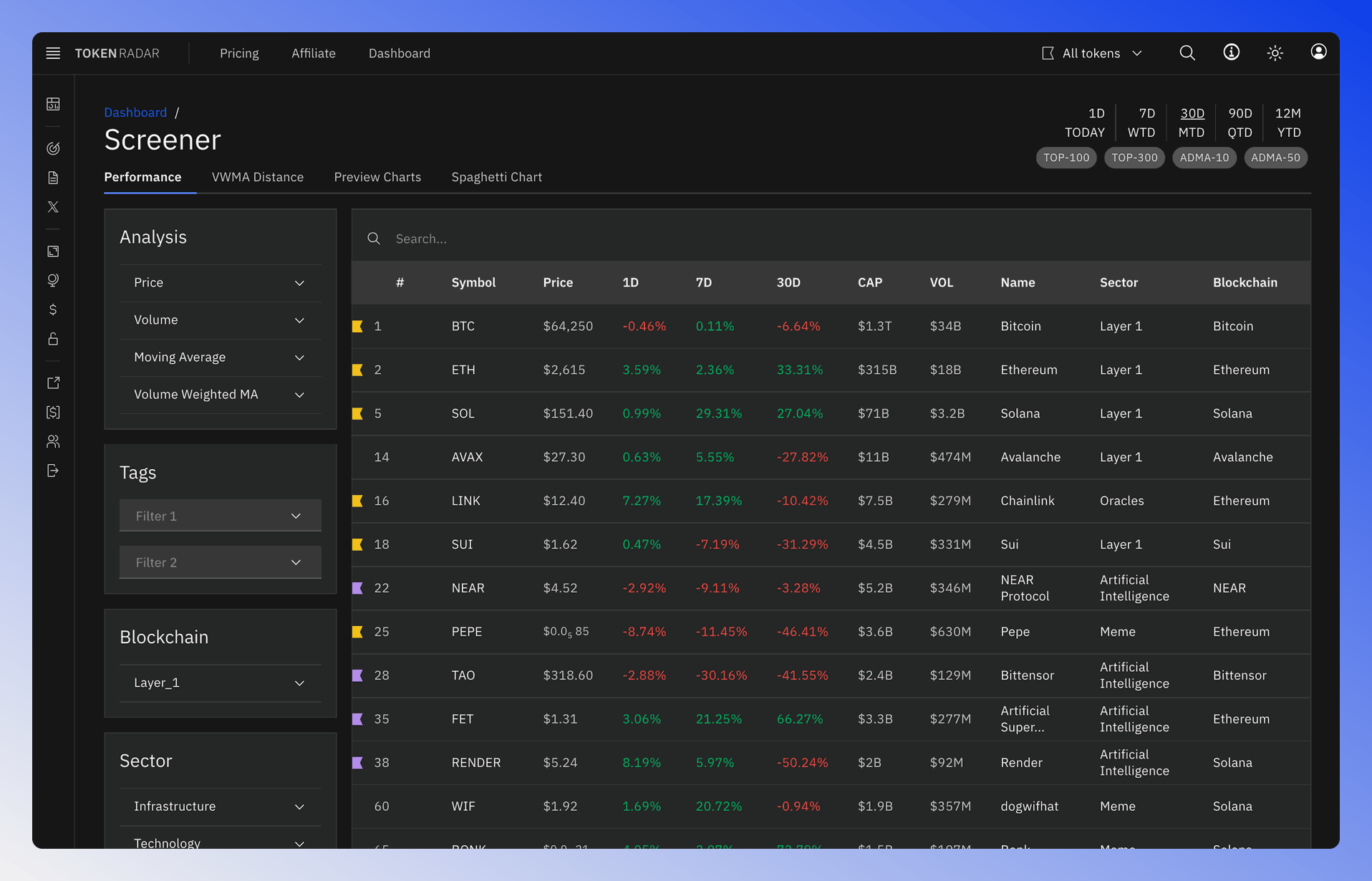
- Search: The search bar allows you to search for a token by name or symbol. To sort the tokens, click on the column header.
- Sort: To sort the tokens by a specific property, click on the column header.
- Token Details: Click on the token name to go to the token detail page.
- Favorites: A flag in front of a row shows that the token is in one of your favorites lists.
Header Filter and Time Selection
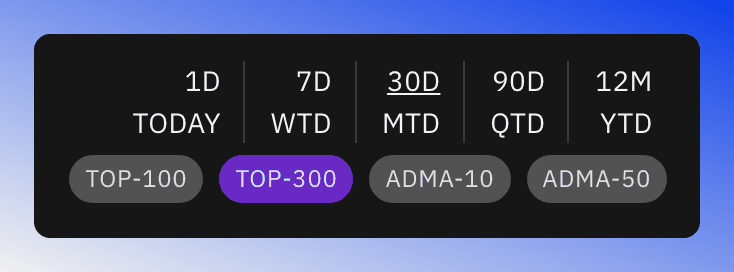
Like on most pages, the screener also contains a header filter section. This filter allows you to apply quick filter presets.
- TOP-100: Show Tokens with "Marketcap Rank < 100"
- TOP-300: Show Tokens with "Marketcap Rank < 300"
- ADMA-10: Show Tokens Trading "Above Simple Moving Average 10"
- ADMA-50: Show Tokens Trading "Above Simple Moving Average 50"
The "Time" section affects which table columns are visible on the Performance table.
VWMA Distance
The VWMA Distance tab lists how far each token's price is from its 30-, 90- and 365-day volume-weighted moving average (VWMA), in percent (30D Δ%, 90D Δ%, 365D Δ%). By default the table is sorted by the 365-day distance, with the tokens closest to their VWMA first. Positive values mean the price trades above the VWMA, negative values mean it trades below.
Filter
The screener filter allows you to filter through all tokens on the platform according to custom criteria. The filter is divided into multiple sections, which you can expand or collapse:
- Analysis: Filter by technical analysis indicators: Price, Volume, Moving Average and Volume Weighted MA.
- Tags: Filter by Tags
- Blockchain: Filter by Blockchain.
- Sector: Filter by Sector.
- Perp Exchange: Filter by tokens with perpetual markets on selected exchanges.
- Tokens: Filter by specific tokens.
- Metadata: Filter by token metadata like rank or status.
Filter sections are logically AND linked, meaning all conditions must be met, while options within a section are logically OR linked, so any of the conditions will suffice. However, the two options in the tag filter section are an exception and are also AND linked.