
Release 26.2
This release brings favorites lists, header bookmarks, a new deep black theme, and author pages.
 Written by taika · Creator of Token Radar
 Highlights
- Favorites: Save tokens and X authors in named, colored lists and narrow the app to a list
- Favorites Dashboard: Follow your lists on the new Favorite Tokens and Favorite Authors tabs
- Header Bookmarks: Pin your favorite pages and screener setups to the header
- Deep Black Theme: A darker default theme with calmer charts and tiles
- Author Pages: A page for every tracked X author
Favorites
You can now collect tokens and X authors in your own lists. Each list has a name and a color, and holds either tokens or authors.
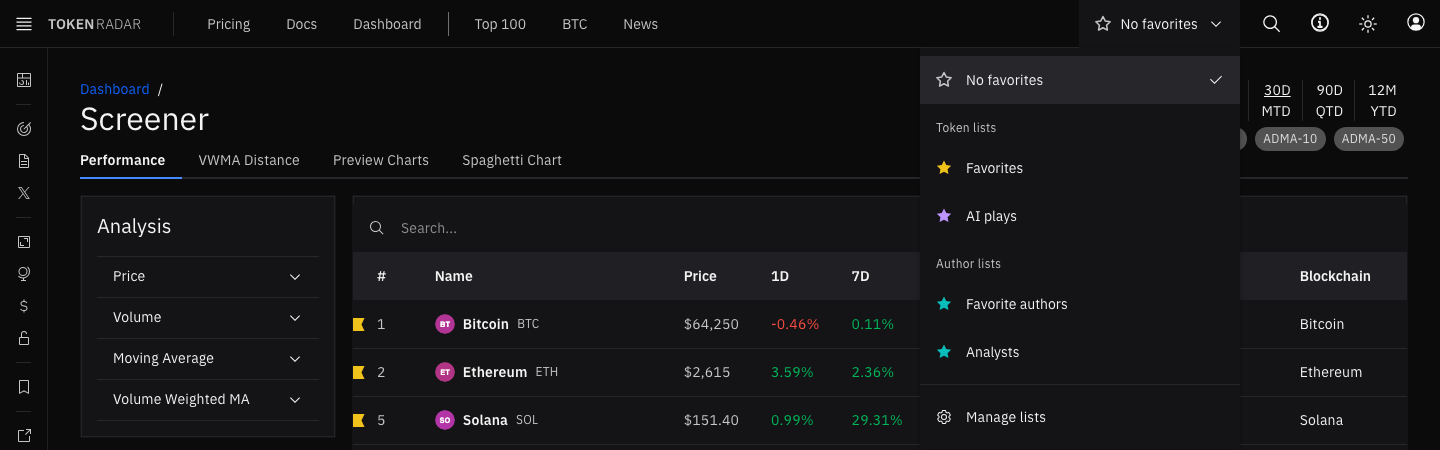
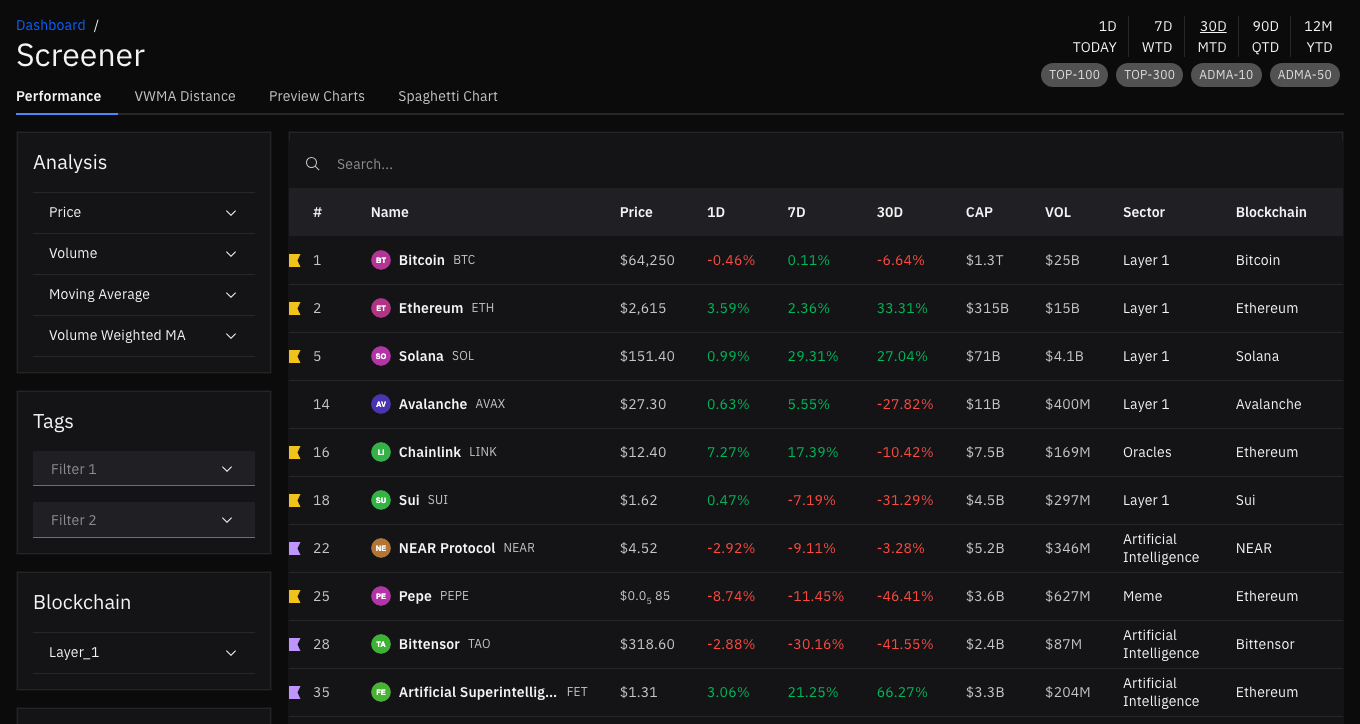
- Mark Favorites: Click the star next to a token's name, the flag in a table row, or the bookmark next to an author to add it to your last-used list. The flag's colored stripes show which lists hold the item
- Several Lists: If an item is in more than one list, a click opens the list menu, where you can add it to or remove it from each list
- List Scope: Pick a list in the header to narrow the screener, the dashboard, the news table and the social pages to its tokens or authors. A star in the header shows the selected list
- Plans: Every account has a Favorites list for tokens and one for authors. Premium adds up to ten lists of each kind, with up to 100 items per list
Favorites on the Dashboard
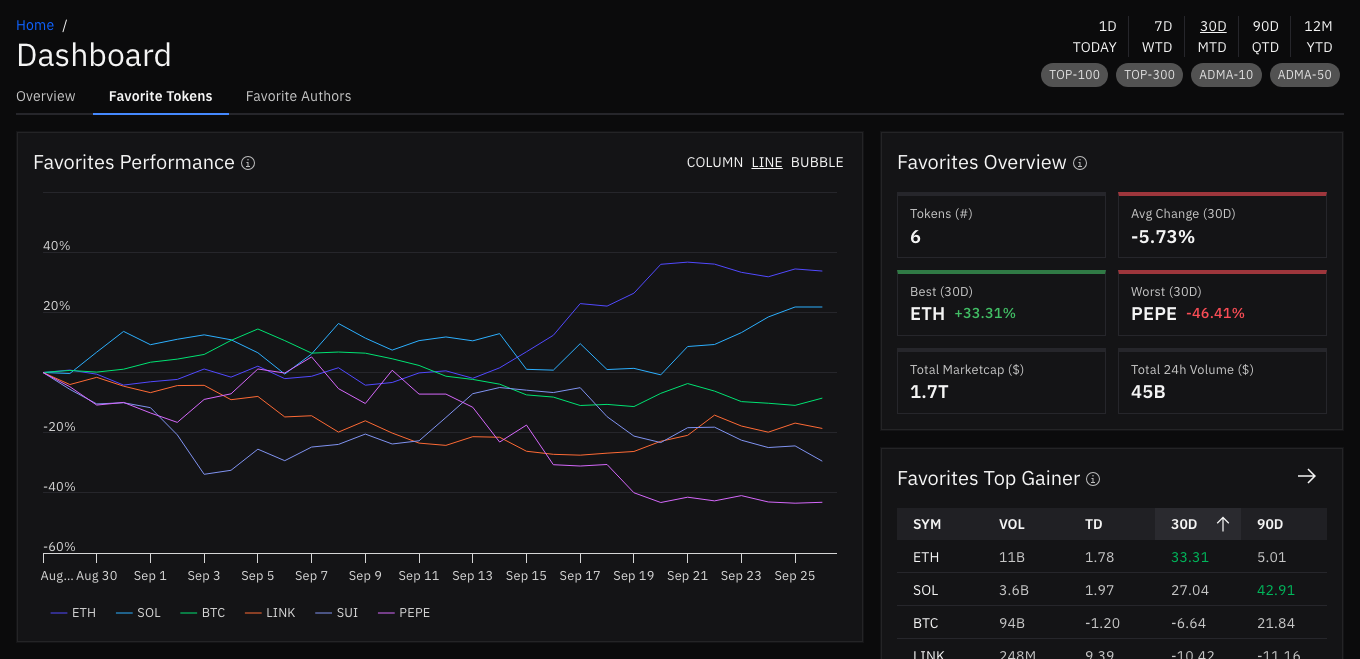
The dashboard has two new tabs next to the Overview, each showing the list selected in the header or your default list:
- Favorite Tokens: The performance chart of your tokens, news and posts about them, overview cards, and the top gainer of the list
- Favorite Authors: The tokens your authors mention most, their latest posts, and an overview of each author
Picking a list in the header while you are on the dashboard opens the tab of that list.
Header Bookmarks
Bookmarks put the pages you use most right into the header, including their filters.
- Quick Capture: Hover over the free space in the header and click the plus to bookmark the current page. Your current filters are kept by default
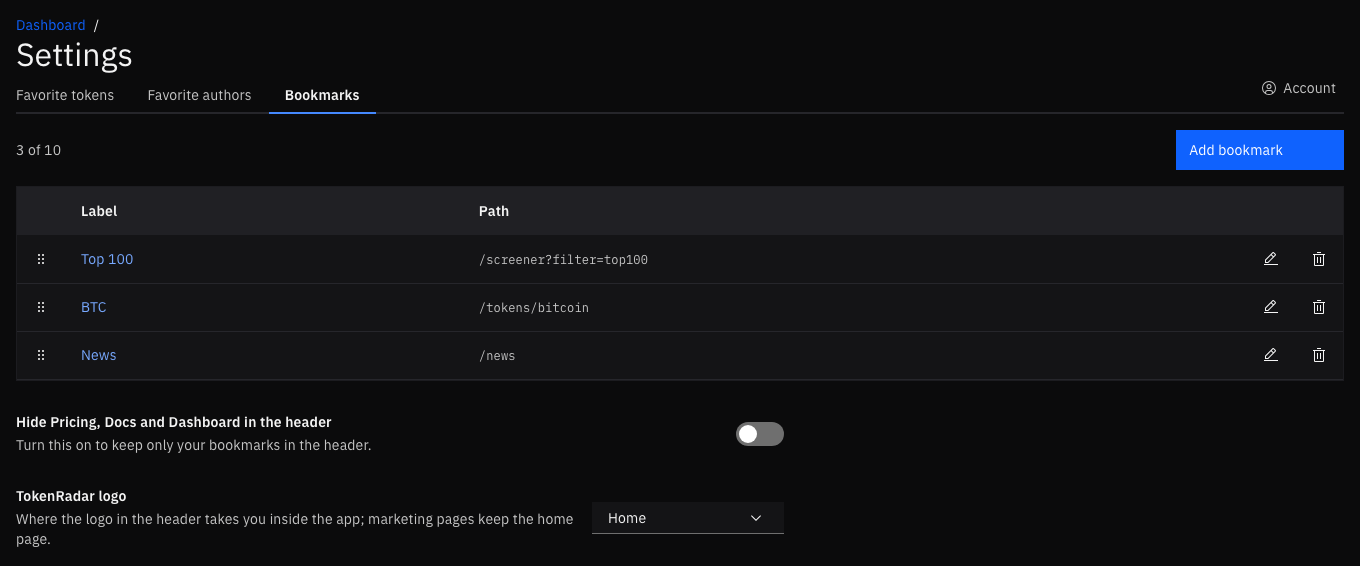
- Your Header: Bookmarks appear next to Pricing, Docs and Dashboard; the ones that don't fit move into a More menu
- Plans: The free plan includes 2 bookmarks, Premium up to 10
Settings
The new Settings section, reached through the account menu, brings your product preferences together:
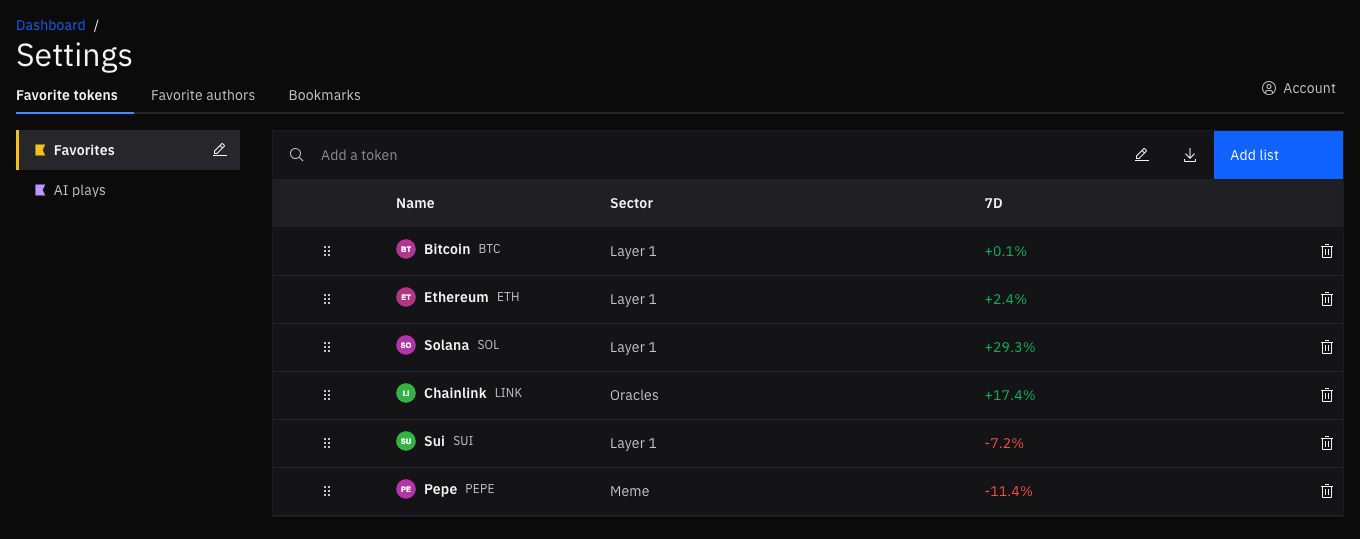
- Favorite Tokens and Favorite Authors: Create, rename, recolor and reorder your lists and their items. The list selector sits on the left, the items of the selected list on the right
- Bookmarks: Rename, reorder and remove bookmarks, hide the Pricing, Docs and Dashboard links in the header to make room for more of your own, and choose where the TokenRadar logo takes you inside the app: home, the dashboard or the screener
Deep Black Theme
The dark theme now uses a deeper black for the page and its tiles. Chart grid lines are softer and tile borders lighter, so the data stands out more. The light theme stays as it is.
Author Pages
Every tracked X author now has a page with their activity and token mentions over time, the tokens they mention most, their latest posts, their profile, and sentiment. Open it from any post card or from your favorite authors.
Improvements and Fixes
- Screener: Token logo, name and symbol now share one Name column
- Charts: Time-series charts share one date axis, and the last axis label stays whole on narrow screens
- Token Pages: Opening a token for the first time no longer shifts the layout
- Docs and Blog: The Help Center moved to Docs with new Getting started articles, and the release notes are now part of the blog, with header images in both themes
We hope your new lists and bookmarks make Token Radar feel like your own. Let us know what you think!